
Do your PDFs take forever to upload, email, or share? Large file sizes are a common frustration when dealing with PDFs. Whether you’re a student submitting assignments or a professional sending proposals, bulky PDFs slow you down.
That’s where the need to compress PDF files comes in. By reducing file size without affecting quality, you can make your documents more manageable and easier to share — all while saving storage space.
Let’s explore how to easily and effectively compress PDF files, and why Sumant Studio’s PDF Tool is the best choice.
Why Should You Compress PDF Files?
Reducing the size of a PDF offers multiple benefits:
- Faster uploads and downloads
- Easy sharing via email or messaging apps
- Reduced storage space
- Quicker access across devices
- Improved user experience
Whether for personal or professional use, compressing your PDF streamlines your digital workflow.
What Happens When You Compress PDF?
When you compress PDF, the tool reduces image resolution, removes unnecessary metadata, and optimizes internal file structures. Smart compression keeps your document looking sharp while significantly cutting file size.
Top Features of Sumant Studio PDF Compression Tool
Sumant Studio offers a fast, intuitive, and free tool to compress PDF files:
- Drag & Drop Interface: Upload in seconds
- High Compression Ratio: Reduces size up to 70%
- No Watermarks: Clean outputs
- Secure & Private: Files auto-delete after processing
- No Sign-Up Required
👉 Try Sumant Studio PDF Tools — free and hassle-free!
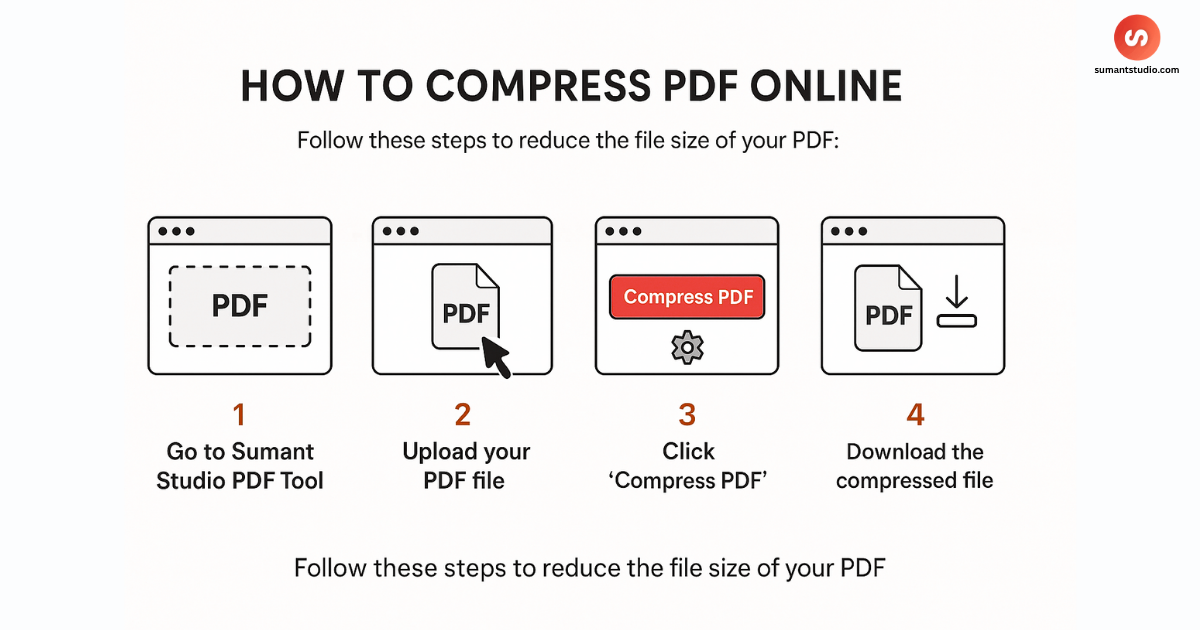
How to Compress PDF Online (Step-by-Step)
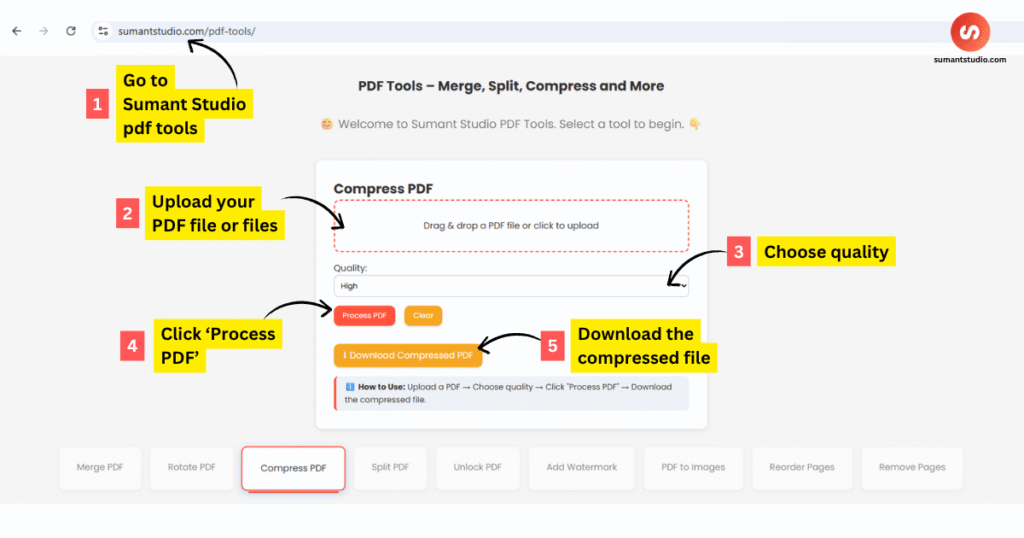
- Visit Sumant Studio PDF Tools
- Select “Compress PDF” from the menu
- Upload your PDF file
- Click on “Compress”
- Download the optimized version
No installation. No fees. No registration.
Sumant Studio PDF Tools LIVE screenshot
When Should You Compress PDF?
Use compression when:
- Sending files via email
- Uploading to websites with size limits
- Sharing academic or business documents
- Saving storage on mobile or cloud
Compress PDF Without Losing Quality
Quality matters — especially for contracts, resumes, presentations, or design documents. Sumant Studio ensures your file’s visual fidelity stays intact even after compression.
You don’t have to choose between quality and size. You can have both.
Tools Comparison Table
| Feature | Sumant Studio | PDF24 Tools [External] | Adobe Acrobat |
|---|---|---|---|
| Free to Use | Yes | Yes | Limited Free |
| No Sign-Up Needed | Yes | Yes | No |
| No Watermark | Yes | Yes | No |
| Compression Quality | High | Medium | High |
| Easy UI | Yes | Moderate | Moderate |
For more on how PDFs work, check out this Wikipedia article on Portable Document Format.
Frequently Asked Questions
Is compressing PDF files safe?
Yes. With Sumant Studio, your files are encrypted and automatically deleted after use.
Can I compress PDF on mobile?
Absolutely. The tool is mobile-friendly and works on all browsers.
Will the file lose quality?
Sumant Studio ensures your PDFs maintain high visual quality even after compression.
How small can the PDF file become?
Compression typically reduces size by 30–70%, depending on the content.
Do I need to install any software?
No. Everything happens online, directly in your browser.
Final Thoughts
In today’s fast-paced digital world, you can’t afford delays caused by large PDF files. Compressing your PDF ensures faster uploads, easier sharing, and efficient storage.
Sumant Studio’s PDF Tool offers a reliable and free way to get the job done with no strings attached.
Don’t wait — compress PDF files now and simplify your workflow.
Need to compress multiple PDFs daily? Bookmark our tool for quick access. Sumant Studio aims to make everyday file tasks easier, faster, and ad-free — no clutter, just clean tools that work.